

How to Access WebEOC
为 new users, access WebEOC via the QR code or link below:
WebEOC Account Request Form (prod)
How to Login to WebEOC
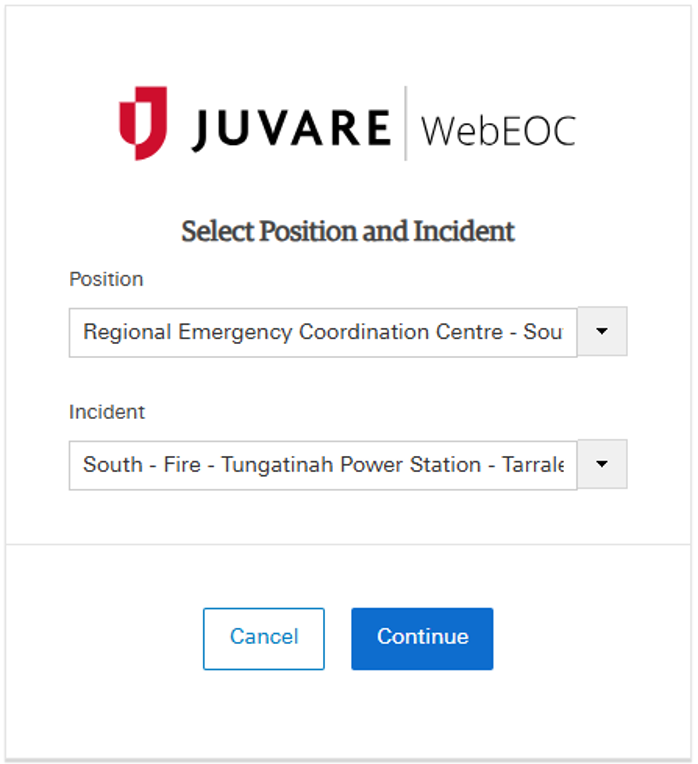
When logging in to the system you will need to select your position and the incident.

| ❯ | Position – The position or role you will perform during an incident (e.g. RECC South, SES IMT – Administration). |
| ❯ | Incident – The incident you are wanting to view or input. |
WebEOC Boards
A board is an online representation of a notice board traditionally used in an operations centre. Users can easily input key information into the relevant board, sharing the information in real time. WebEOC consists of numerous boards and are accessed from the Control Panel on the Home Page.
Access WebEOC Boards
WebEOC boards are accessed from the Control Panel on the Home Page. Click below to reveal these boards:
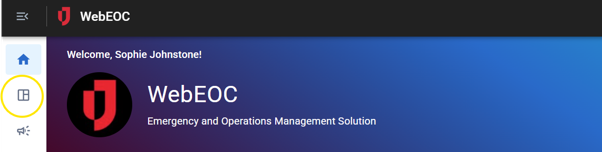
The icon highlighted in yellow (see above image) represents Boards in WebEOC. Selecting this icon opens the Boards menu, where users can view and access the various operational boards available to them (for example, File Library, Incident Creator, Situation Reports or Log Decision Task board). Boards are where most data is entered, viewed, and updated during an event.